
Everything Included in YourReviews
YourReviews is built to help local businesses collect more reviews, manage their reputation more efficiently, and improve their visibility online. The platform combines review generation, review management, local search insights, automation, and customer feedback tools in one system.
A Central Dashboard for Reviews, Feedback and Performance
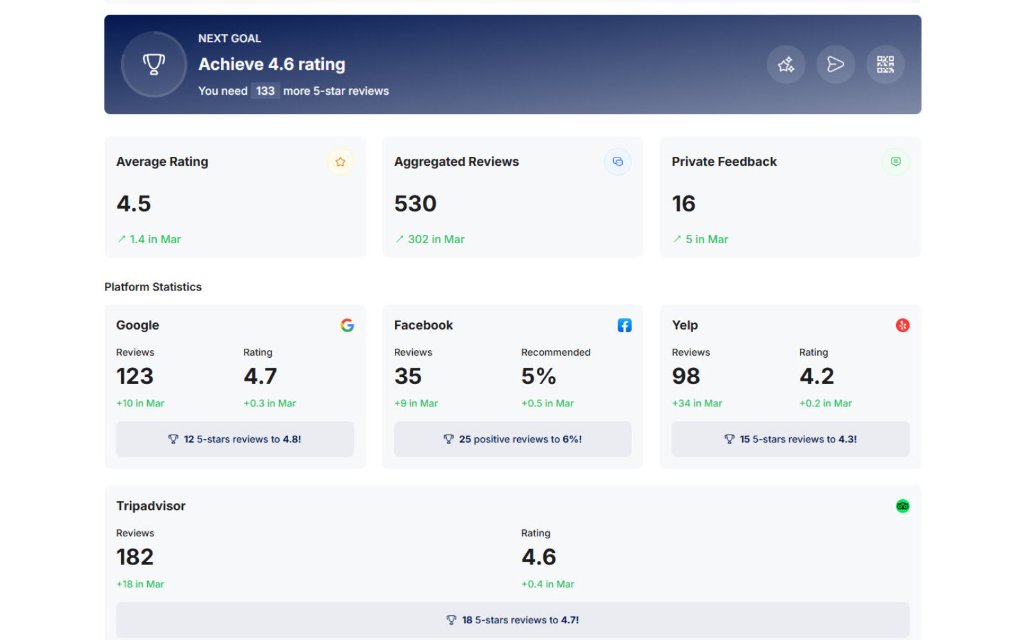
The dashboard gives you a clear view of your reputation performance across connected platforms. Instead of switching between multiple tools, you can see your key review metrics, customer feedback, and activity in one place.
- View your average rating across review platforms
- Monitor aggregated reviews from Google, Facebook, Yelp, TripAdvisor, and others
- Track private customer feedback
- Review platform-level statistics
- See progress towards your next review goal
- Send quick requests, launch campaigns, or open kiosk mode directly from the dashboard
See How Your Reputation Supports Local Visibility
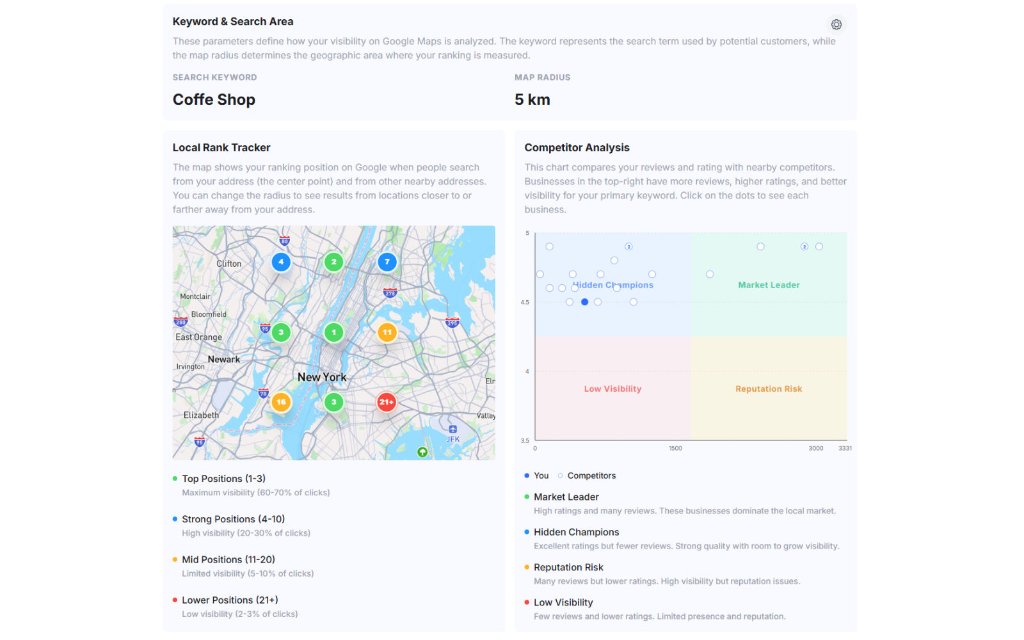
YourReviews helps you understand how your review profile relates to local search visibility. By combining ranking data with competitor comparisons, the platform gives you a clearer picture of where you stand and where there is room to improve.
- Set a target keyword for local ranking analysis
- Define the map radius used for visibility tracking
- Monitor your ranking positions within Google Maps
- View local rank tracker data based on search location
- Compare reviews and ratings against nearby competitors
- See review score rankings based on review volume and average rating
Track Key Google Business Profile Performance Metrics
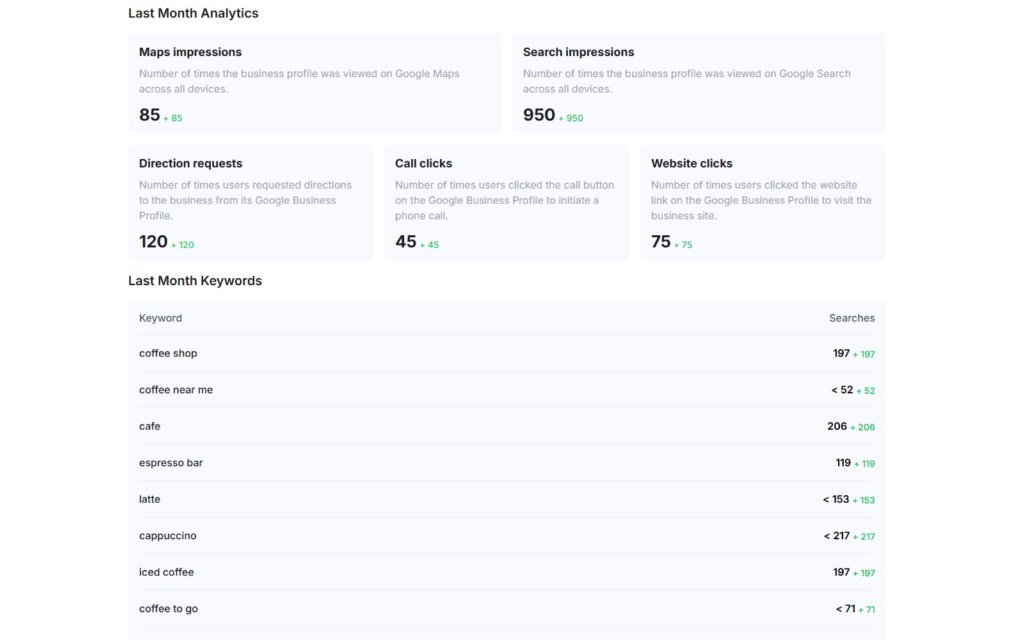
The platform helps you review how customers are finding and engaging with your business listing. This gives useful visibility into how your profile is performing and where attention may be needed.
- Maps impressions
- Search impressions
- Direction requests
- Phone clicks
- Website clicks
- Keyword data showing where your listing appears in search
Turn Customer Feedback Into Useful Business Insight
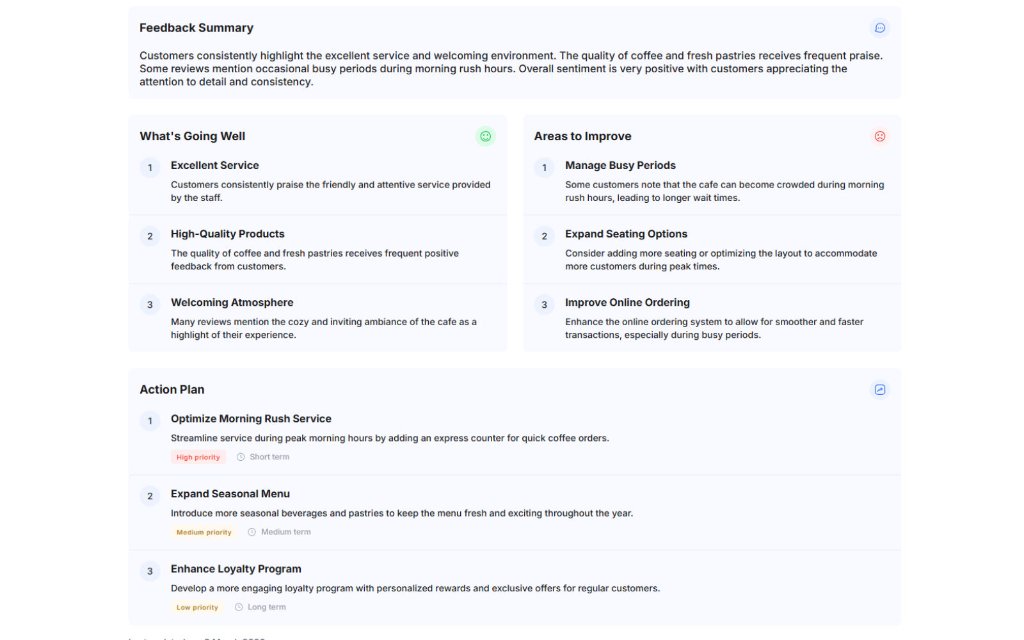
Sentiment analysis helps you understand the themes within your customer reviews. Rather than reading every review individually, you can quickly see what is going well, what needs attention, and what actions could improve future feedback.
- Feedback summary
- Positive themes
- Areas to improve
- Suggested action plan
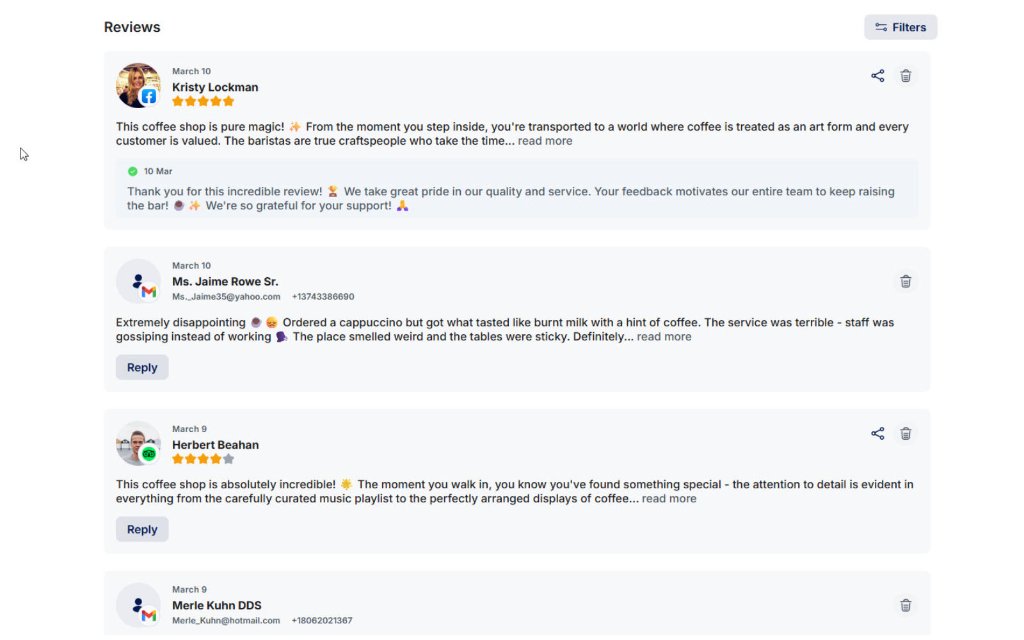
Manage Reviews From One Place
YourReviews brings customer reviews into one manageable view, making it easier to stay on top of feedback and maintain a consistent response process.
- View reviews from multiple platforms
- Reply manually to customer reviews
- Use AI-generated replies to save time
- Keep review management organised in one place
Send Review Requests and Automate Campaigns
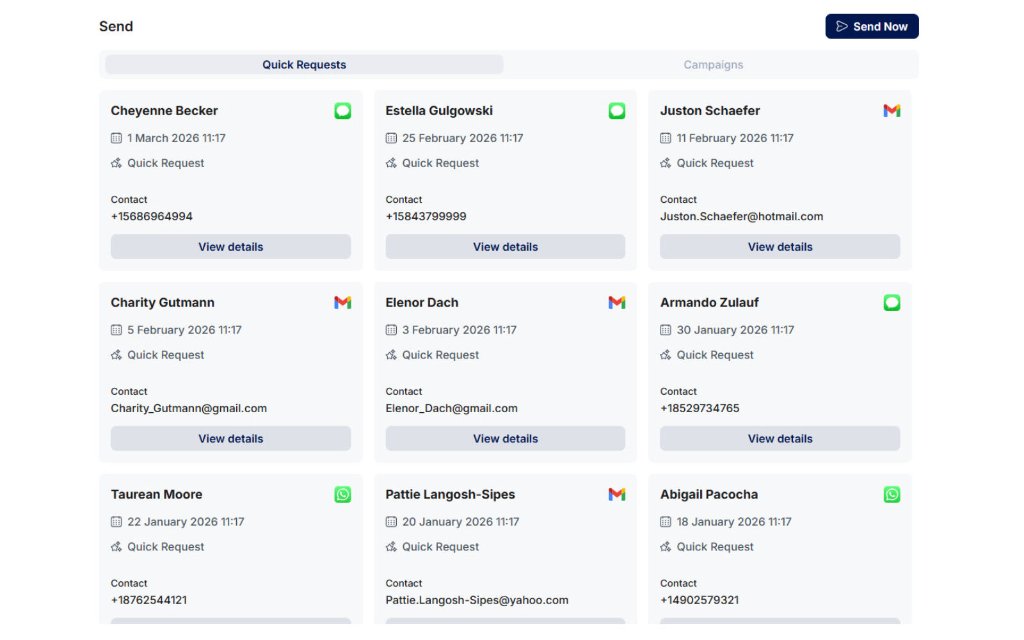
The platform makes it easier to ask for reviews consistently. Whether you want to send one-off requests or automate the process, YourReviews gives you the tools to manage outreach clearly and efficiently.
- Send requests by SMS, email, or WhatsApp
- Create quick requests or longer campaigns
- Customise templates
- Add and manage contacts
- Control automated sending
- Direct customers to a custom review landing page
Share Great Reviews Across Your Marketing
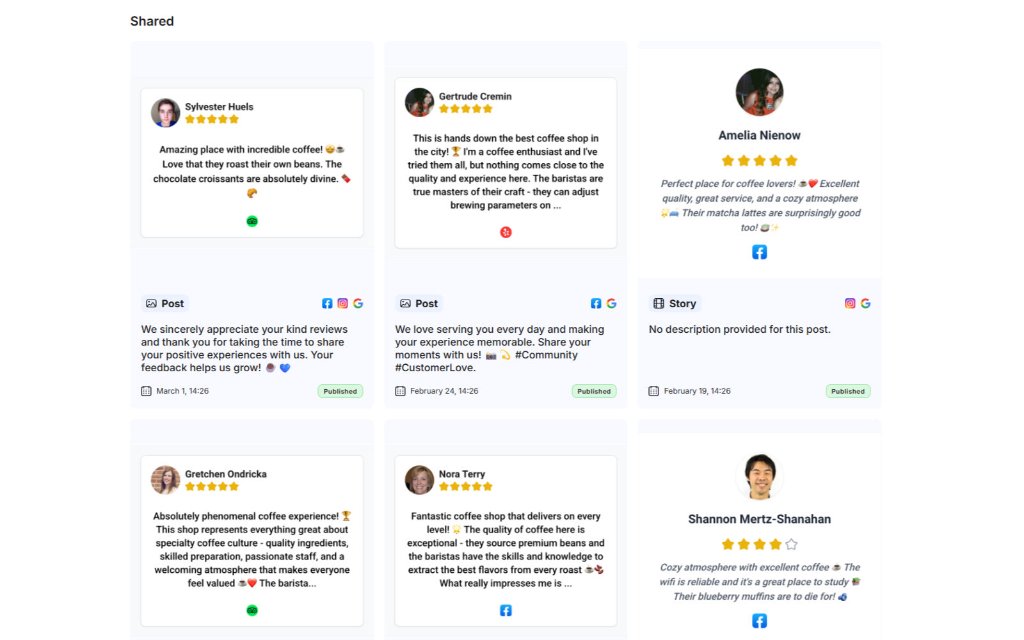
Positive feedback should not stay hidden inside review platforms. YourReviews helps you reuse customer reviews across social channels and wider marketing activity.
- View shared reviews in one place
- Share reviews across platforms such as Facebook, Instagram, and Google
- Extend the visibility of positive customer feedback
Display Reviews on Your Website
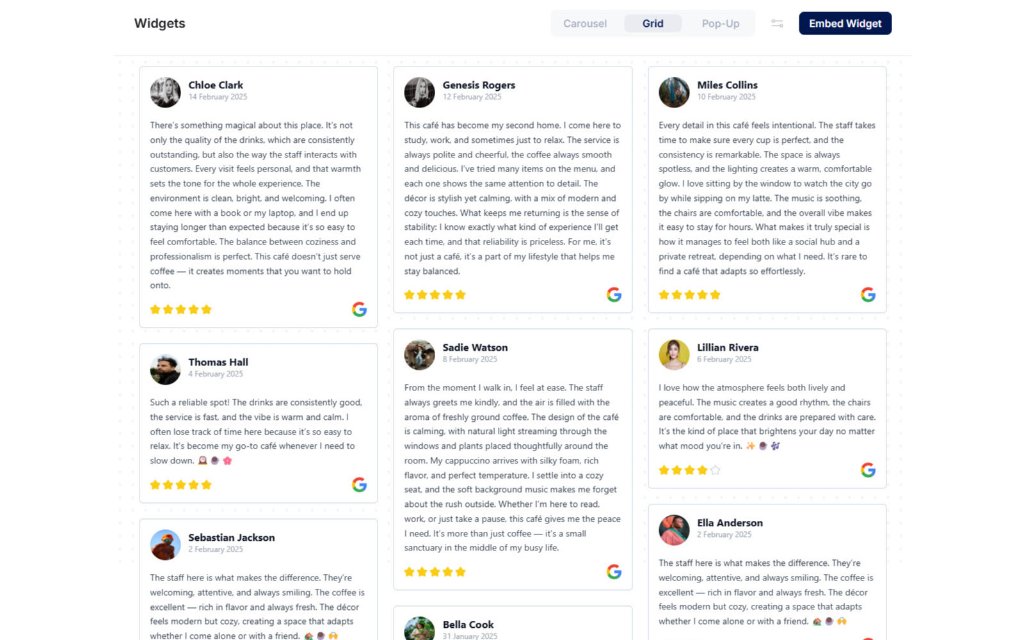
YourReviews includes flexible website widgets that help you place customer reviews directly on your website. This makes it easier to build trust with visitors using real customer feedback.
- Add reviews using a simple code snippet
- Display reviews in carousel format
- Display reviews in grid format
- Use pop-up review widgets
- Customise widget presentation to suit the website
Create a Simple Website for Your Business
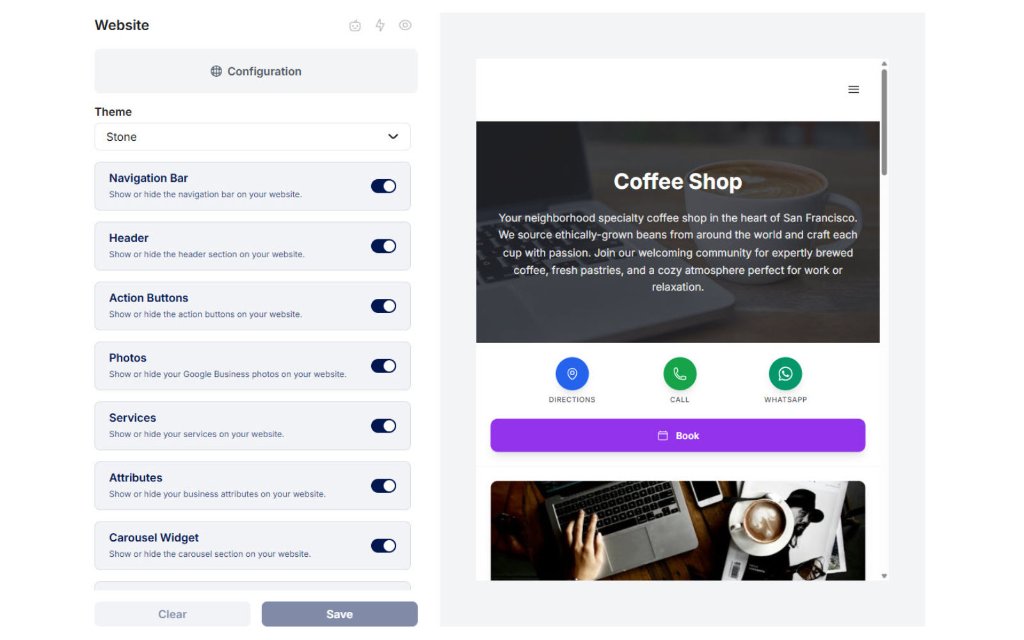
The platform includes website tools that allow businesses to create a simple online presence using their business details, content, and reviews.
- Control the navigation bar and header
- Add action buttons
- Manage photos and custom photos
- Display services and attributes
- Add a review carousel widget
- Show regular hours and special hours
- Include a map and social links
Manage Your Google Business Profile More Effectively
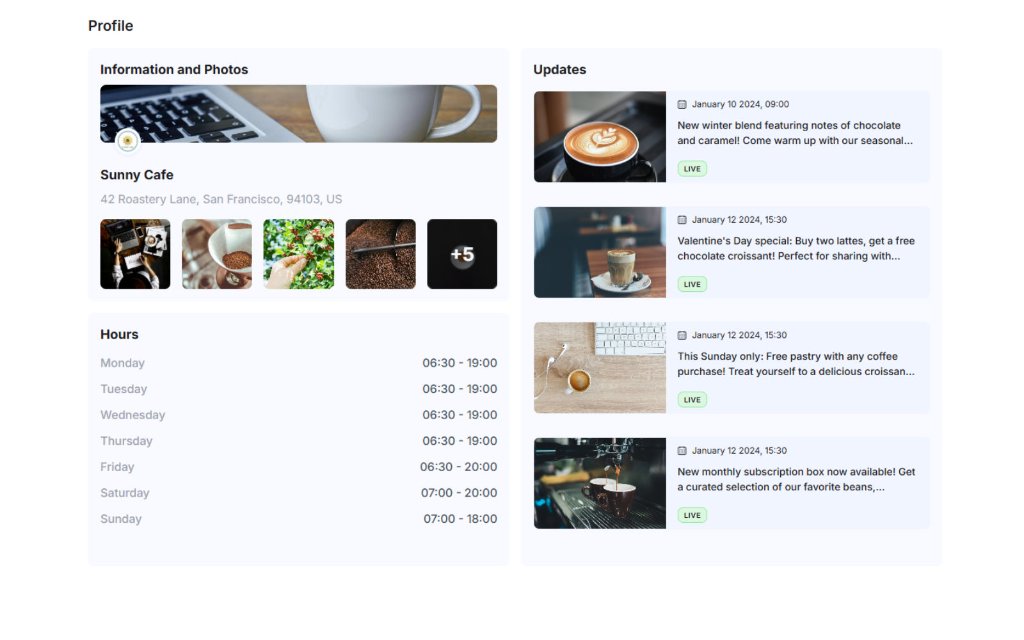
YourReviews helps businesses keep their Google Business Profile accurate, relevant, and better aligned with local search intent.
- Manage business name, website, description, category, and phone number
- Update social media information
- Manage photos
- Manage business attributes
- Manage services
- Update business hours
- Publish updates, news, and event-style posts
Use AI to Reduce Manual Work
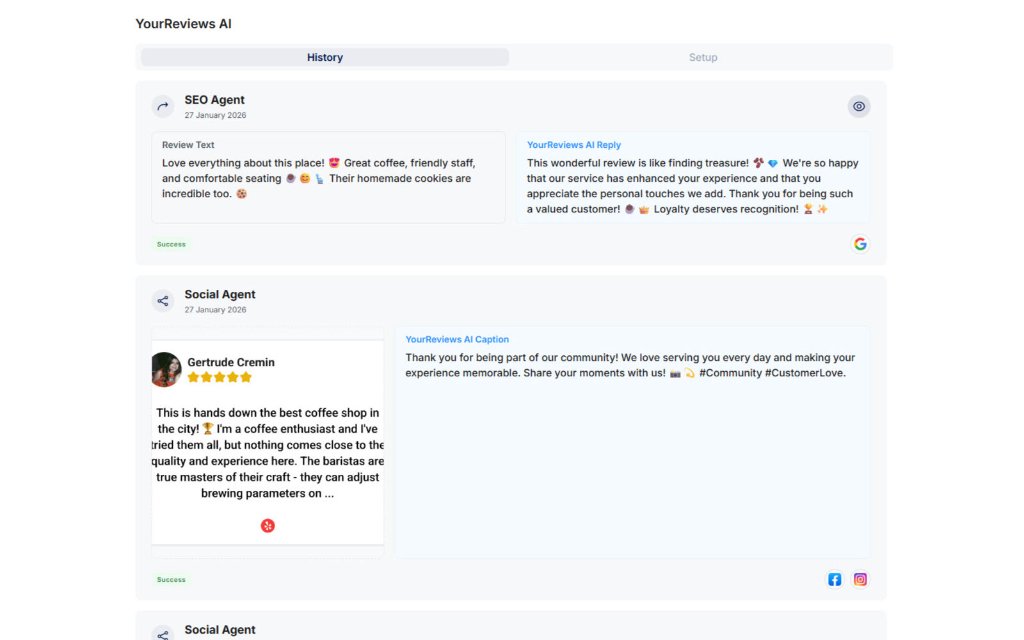
YourReviews AI helps automate repetitive tasks and supports broader marketing activity. This can reduce manual effort while making it easier to keep review, SEO, and social activity moving.
- Use AI support for review-related tasks
- Use SEO-focused AI workflows
- Use social-focused AI workflows
- Customise AI activity depending on business needs
Customise Review Journeys, Integrations and Account Settings
The settings area gives you control over how customers are guided through the review process, how your channels connect, and how the platform is managed across users, locations, and integrations.
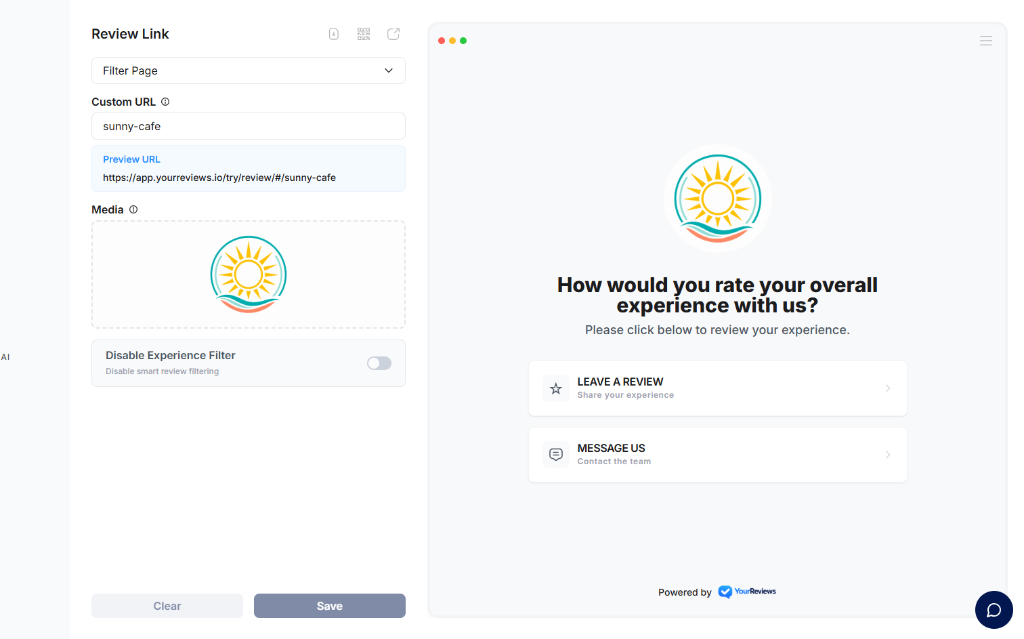
- Create a custom review landing page with logo, title, and call to action
- Choose review response styles such as thumbs, faces, stars, or hearts
- Set rating thresholds for directing positive and negative feedback
- Send positive reviewers to Google or other review sites
- Capture lower-rated experiences as private feedback
- Choose which review sites to promote
- Use AI suggestions to improve review request messaging
- Set up integrations with review platforms and channels
- Manage email, SMS, phone, and social channels
- Manage multiple business locations and team access
- Connect with external platforms using API or Zapier
Start Turning Reviews Into Visibility
Collect more reviews, manage customer feedback, and strengthen your local visibility with one platform built for local businesses.